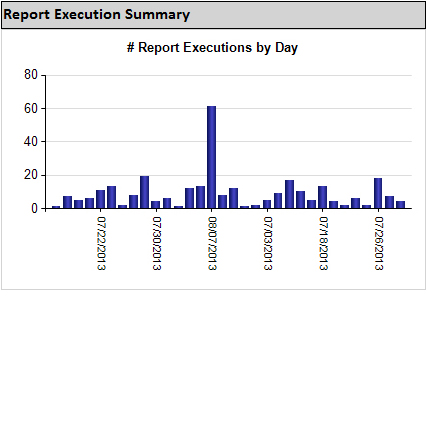
SSRS Usage Reporting — with SSRS!
A task I’ve recently needed to perform was to migrate our company SSRS portal from a SQL Server 2008 R2 Native Mode portal to a shiny new SQL Server 2012 Sharepoint Integrated Mode portal.
Additionally, during this process, I had a desire to clean up the organization of the reports and potentially retire some of the older reports which were no longer used. The issue that I immediately encountered, however, was a lack of readily accessible information about which reports were frequently (or infrequently) used, by whom, and how often.
With a little bit of research on the topic, I found that SSRS does indeed track report usage metrics within the ReportServer database, however, there aren’t any built-in mechanisms to easily review that data.
My research first took me to a Microsoft Technet posting with the following T-SQL to collect some basic usage statistics from the ReportServer database:
SELECT
Cat.[Path],
Cat.Name,
Ex.[Format],
Ex.Parameters,
Ex.UserName,
Ex.TimeStart,
CONVERT(nvarchar(10),
Ex.TimeStart, 101) AS rundate,
1 AS [Counter]
FROM ExecutionLog AS Ex INNER JOIN [Catalog] AS Cat ON (Ex.ReportID = Cat.ItemID)
ORDER BY Ex.TimeStart DESC
This was a great indicator of the possibilities for reporting on SSRS usage. A little further research turned me onto the following Wrox article by Jim Minatel with some additional sample queries and some great ideas for what I’d like to include in the SSRS Usage Report I was creating.
Within the ReportServer database (both for SSRS Native Mode and SSRS SharePoint Integrated Mode), the most interesting tables when it comes to SSRS usage statistics are:
- ExecutionLog – The most useful table, this is a log of all SSRS component executions as well as the status of the execution.
- Catalog – Equally useful, this is a full listing of all SSRS assets (report RDL files, data sources, datasets, and even Power View reports) which are needed to identify in a friendly manner the names of the items in the ExecutionLog.
- Users – A listing of all users with their unique IDs and authentication types. This table proved to be the least useful, as usernames are stored in a readable form in the above tables.
Performing T-SQL queries to join at least two of these tables allowed for me to create a base detail query which would provide the foundation for data shown in my SSRS Usage Report:
Continue reading
 After installing SQL Server Reporting Services (SSRS), are you receiving an Error 404, Error 400, “Invalid Request” error, or “Bad Connection” error on first visiting the SSRS web portal (the error message seems to vary based on version, browser, and whether accessing via http/https or /reports vs /reportserver) ?