SQL Server, Power BI, and other Business Intelligence and data technologies

Author: jpries (Page 1 of 13)

Data Saturday Recap: #28 – Atlanta, GA

I attended my first Data Saturday, this past Saturday — Data Saturday #28 – Atlanta, GA. Data Saturdays are the successor to SQL Saturdays and this was the first one of those in Atlanta since the pandemic shutdowns of 2020.

Being the first event since the pandemic shutdowns, it was a smaller event than the mega events of the past, but that didn’t hinder its quality. The event was held at the Atlanta Station Microsoft office — my first time visiting this office (prior events were held at the Microsoft office in Alpharetta).

I appreciate the hard work of the organizers, volunteers, sponsors, and speakers and thank you for putting on a great event!

Matthew Roche presenting “The Unplanned Career: 25 Years in Tech Without a 3 Year Plan”
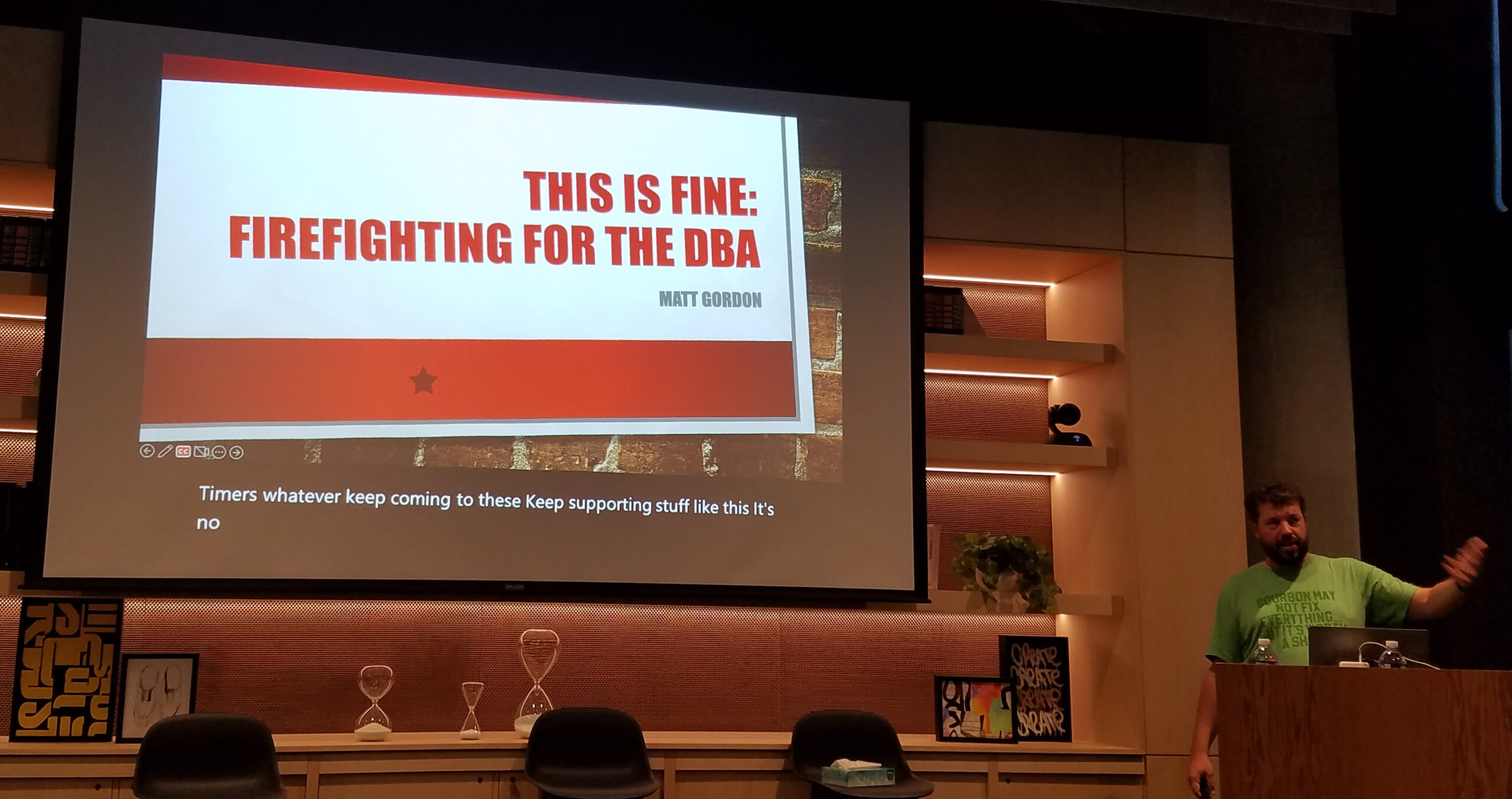
Matt Gordon presenting “This is Fine – Firefighting for the DBA”
Joey D’Antoni presenting “Understanding Azure Active Directory for Data Professionals”
Tim Rayburn presenting “Help Your Teams Avoid Burnout and Apathy”

Adding a Non-Email Enabled Object to Power BI Gateway Cluster Users

The Power BI On-premise Enterprise Gateway allows for users to be added as administrators of the gateway cluster via the Powerbi.com portal.

One annoying quirk about this, however, is that at least as of this writing, it is impossible to add users (or groups) which do not have an email address via the user interface.

Attempting to do so will give the error message “These email addresses are invalid or duplicate.” Pretty annoying!

It turns out that it is actually possible to add objects which do not have email addresses associated with them (groups, users, even application SPNs), however it must be done with PowerShell.

Continue reading

Authenticating to the Power BI REST API with C# via SPN (Part 2 – C# Application)

This post will be a quick primer on authenticating to the Power BI REST API utilizing a C# console application with SPN authentication (Application ID / Client Secret) and utilizing the MSAL library.

For anybody that has followed my previous posts this method is going to be largely similar with only minor differences in the key details. SPN authentication is preferred over Username / Password authentication as it allows the console application to truly authenticate as an application and not “as a user.” This is a much more secure and better method (though it is hasn’t always been available and some API functions don’t yet support this method, sadly). Authenticating via the MSAL library instead of the ADAL library is preferred as Microsoft has announced the termination of support for the ADAL library, so best to keep with the times.

Continue reading

Authenticating to the Power BI REST API with C# via SPN (Part 1 – Cloud Setup)

A few years ago, I explored connecting to the Power BI REST API with a simple C# console application to retrieve metadata (such as a report inventory and usage information) in my post here.

In order to utilize the Power BI API, you must authenticate to it. In my post, I explored authenticating with a standard username and password. So long as you are not using multi-factor authentication (MFA), this is functional (but not necessarily the best security). If you have MFA enabled, then you cannot use a stored username and password in this manner, so we need another solution. Enter SPN authentication.

The Power BI API initially didn’t have great support for SPN authentication (basic functionality entered Preview in February of 2019), but it has improved greatly over time and is now at the point where it is very usable by custom applications that wish to read data from the API. There are a few extra configuration steps which are necessary in order to get this setup which I’ll cover below.

Continue reading

Exploring SQL Saturday Data – Getting the Data

Data for SQL Saturday events is maintained via the sqlsaturday.com website. The site makes available an XML feed for each event which includes all of the basic information for the event, including information about the event, venue, sponsors, speakers, and sessions. The data is available freely from the SQL Saturday website without the need to log in or authenticate to the site.

While getting data for an individual event is pretty straightforward (thanks to the handy XML file), there are some nuances to the process and the data which complicate things somewhat.

The SQL Saturday Website Upgrade

The most notable factor is when the event occurred relative to the SQL Saturday website upgrade. The website upgrade went live at the beginning of April, 2015. For events that were created and occurred before this time, their data would need to be upgrade or recreated in the new site (I’m not sure what process they followed, but it was not smooth for historical events). For anything post-upgrade, those events would natively exist in the new system, so the data will generally be better and more complete.

Screenshot from the old sqlsaturday.com website from before the April 2015 upgrade.
Continue reading

Exploring SQL Saturday Data – A Power BI Analysis

In October of 2013, I attended a SQL Saturday event in Charlotte, NC presented by Julie Smith and Rob Volk titled “Harvesting Web Data Using Power Query & Other Tools” (the link to the session has since broken).

Julie Smith and Rob Volk presenting ” Harvesting Web Data Using Power Query & Other Tools”

In the session, Julie and Rob downloaded data about SQL Saturday events from the sqlsaturday.com website using two different methods.

Continue reading

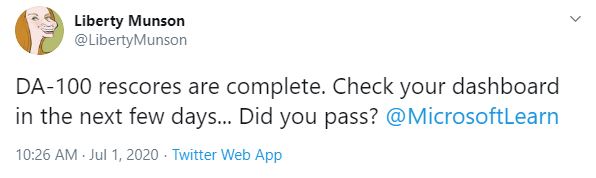
Microsoft Power BI Certification Exam (DA-100) Beta Available

Got some extra time on your hands during the various stay-at-home orders? It was just announced via the Microsoft Learn Blog that the beta for the new Power BI certification exam, DA-100 “Analyzing Data with Microsoft Power BI,” is now available for scheduling. This exam is a replacement for the older 70-778 “Analyzing and Visualizing Data with Microsoft Power BI” which is in the process of being retired. Passing this exam grants the new “Data Analyst Associate” certification.

I just finished registering for a remote exam later this month. If you’re interested as well, act quickly and sign up now! These types of things don’t tend to last long (300 slots available only).

As this is a brand new exam in beta, the cost for registration is 80% of the normal cost (and upon completing the exam, you receive a 25% off coupon for taking the exam in the future if needed). Of course, being brand new, there are no study guides, so preparing for the exam is much more of a challenge than an exam that has been out in the wild for some time with plenty of published resources. Good luck!

Resources

Microsoft Born to Learn Post with Voucher Code and Registration Link

Microsoft Certification Changes

This past Thursday, Microsoft announced upcoming changes to their certification program. Notably, the program is being revamped and the previous certifications — MCSE, MCSA, and MCSD are being retired as of June 30, 2020.

This isn’t the first time MCSE and MCSA have been retired. Prior to 2012, these existed as Microsoft Certified Systems Engineer and Microsoft Certified Systems Administrator, to be retired and replaced with new tracks of similar names — Microsoft Certified Solutions Expert (MCSE) and Microsoft Certified Solutions Associate (MCSA).

I find two things interesting with this revamp. First of all, the replacements that have been announced appear to be wholly new, not leaning on the MCSE and MCSA names of old (last time when they tried to drop the MCSE and MCSA names, they quickly brought them back.) Secondly — and more importantly in my opinion (at least in the Data Management and Analytics track), is the lack of on-premise skills mentioned in the new objectives.

Microsoft’s transition paths from the current MCSE certifications to the latest generation
Continue reading

Usage Monitoring with the Power BI API – A Power BI Report for Tenant Usage Data

Over the past few weeks, I’ve been putting together a series of posts on how to connect to the Power BI Rest API programmatically to extract inventory and usage data from the service.

Most of those posts (listed at the bottom of this page) are fairly long and technical — as, initially getting started using a program to read Power BI data via the API can be a bit much.

This post is going to be a bit different. Short and sweet. The payoff for all that hard work authenticating to Power BI, requesting data, downloading that data, and storing it in an easy to use SQL table.

With all of the hard work out of the way, its time to build a Power BI report to explore that great Activity Log usage data.

Continue reading
« Older posts

© 2026 Jeff Pries

Theme by Anders NorenUp ↑